
In Switzerland, the LPP (Federal Law on Occupational Pension Provision) constitutes the second pillar of the old-age pension system. Its objective is to enable employees, together with the AVS (1st pillar), to maintain an appropriate standard of living at retirement, as well as in the event of disability or death.
Affiliation to an LPP pension institution is mandatory for employees whose annual salary exceeds the LPP entry threshold and from the age of 17 (risks) and 25 (old-age savings).
Important specificity: in the LPP salary policy, the percentages entered correspond to a distribution of contributions, and not to a contribution rate. This means that the actual LPP rates (old-age, risks, fees) are defined in the contract with the pension fund and that Sequence ERP does not redefine these rates. The tool only allows indicating how these contributions are distributed between the employer and the employee.
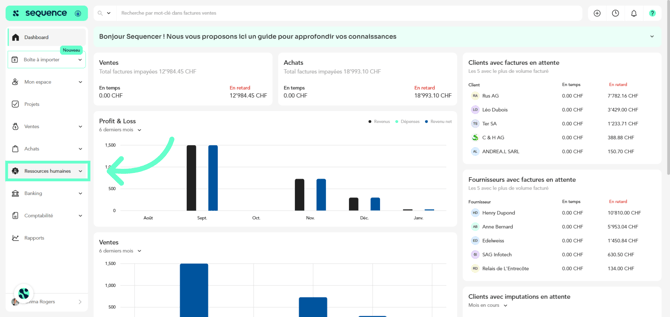
1. To complete the LPP salary policy, click on Human Resources in the left-hand side menu.
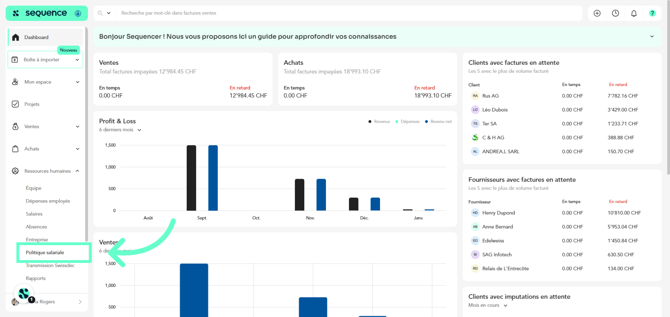
2. Among the displayed options, select Salary Policy.
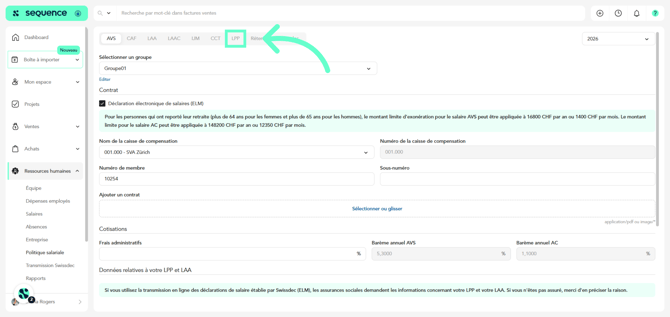
3. Access the LPP tab.
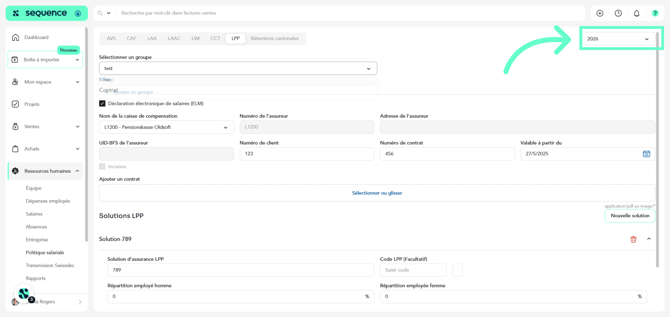
4. Select the reference year.
5. Create the group to which the LPP policy applies. This makes it possible to apply specific rules to a set of employees or entities, according to your organization.
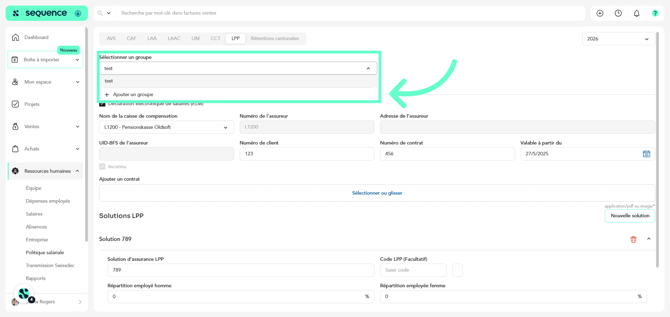
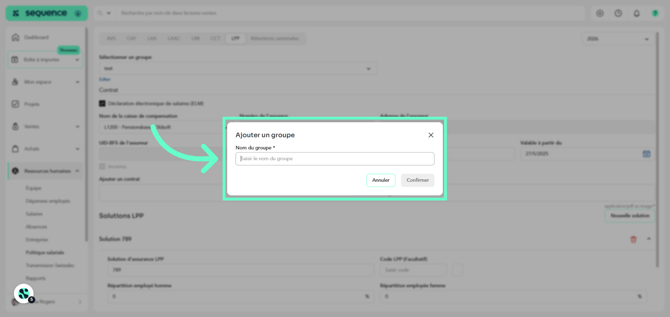
6. Enter the name of the group and click Confirm.
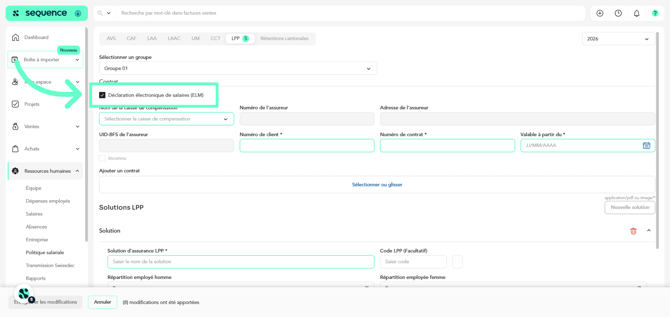
7. If your company uses electronic transmission via Swissdec, activate the option: Electronic Salary Declaration (ELM). This allows the automatic exchange of salary data with social insurance institutions.
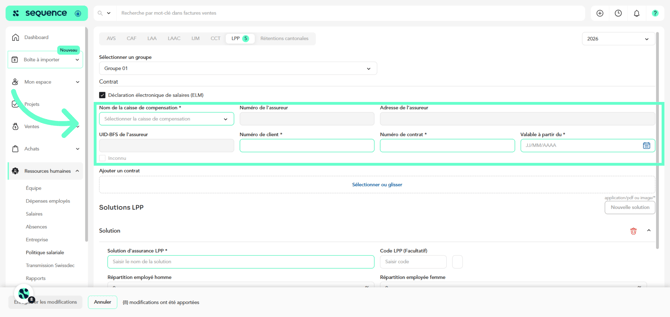
8. In the Contract section, indicate: Name of the pension fund, Insurer number, Insurer UID-BFS (or “unknown”), Customer number, Contract number, Contract validity date.
9. You can upload the LPP insurance contract (PDF or image) directly into Sequence ERP.
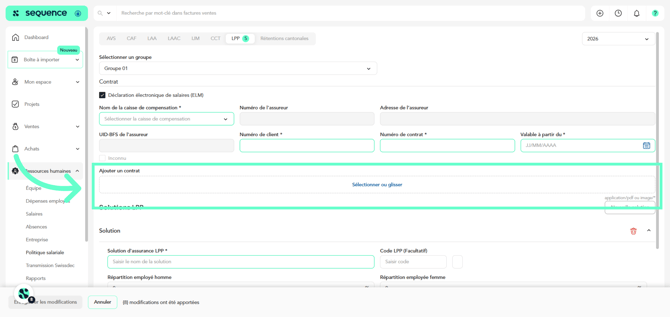
10. Define one or more LPP solutions. A company may have several LPP solutions, depending on the pension plan, the level of coverage, and staff categories.
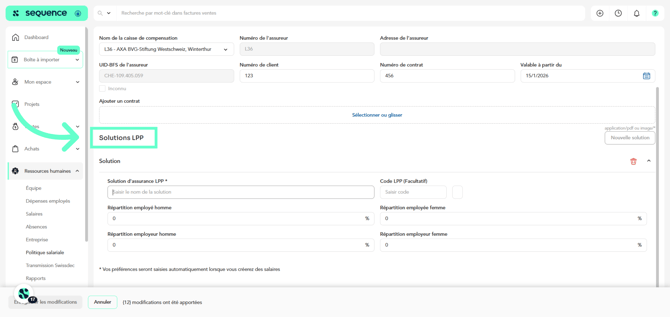
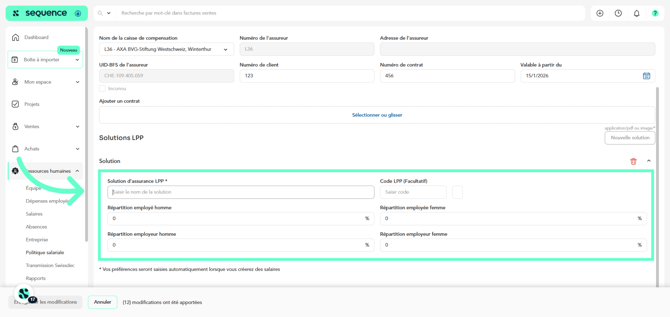
11. For each LPP solution, indicate the employee male/female distribution in percentages and the employer male/female distribution in percentages. These percentages indicate the share of the contribution borne by each party, and not the overall contribution rate.
12. Finally, click Save.
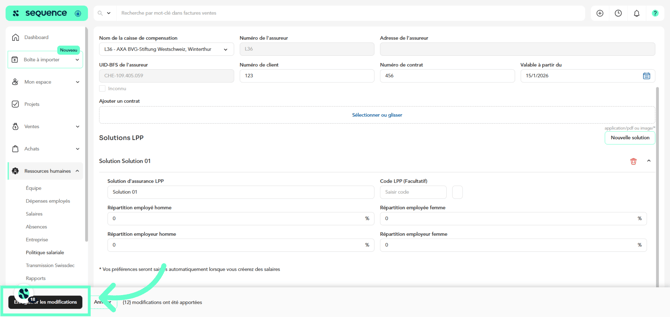
Once the LPP salary policy has been completed, as well as all other policies, you will be able to indicate which groups apply specifically to each of your employees, so that the corresponding contributions are correctly applied in their contracts.