
To grant or remove your collaborators’ access to a client account, follow these steps:
-
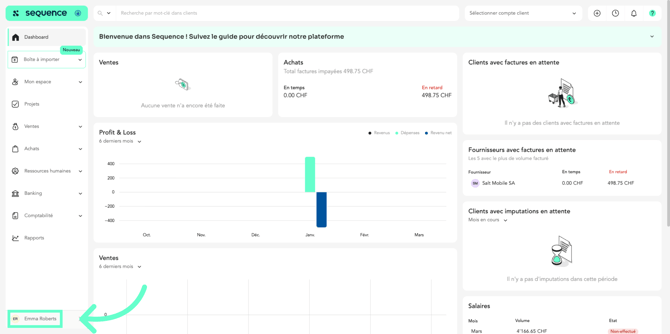
Click on your profile.
-
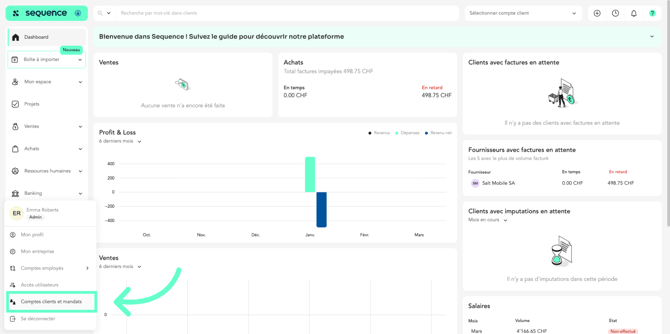
Click on Client Accounts and Mandates.
-
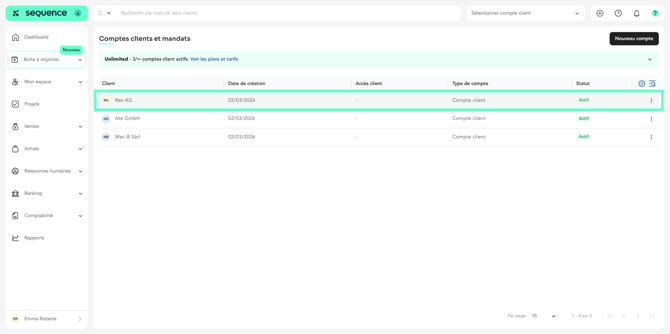
Then click on the relevant account.
-
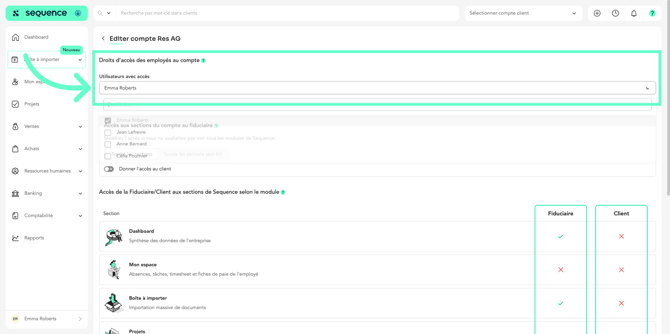
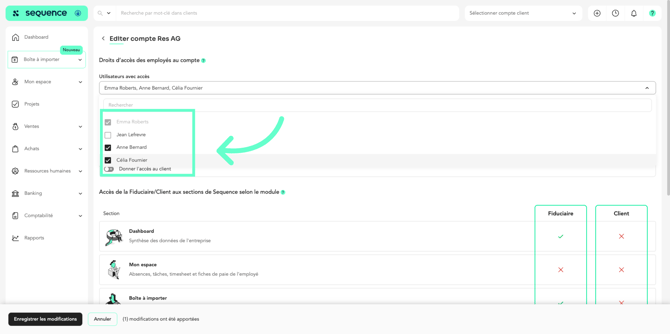
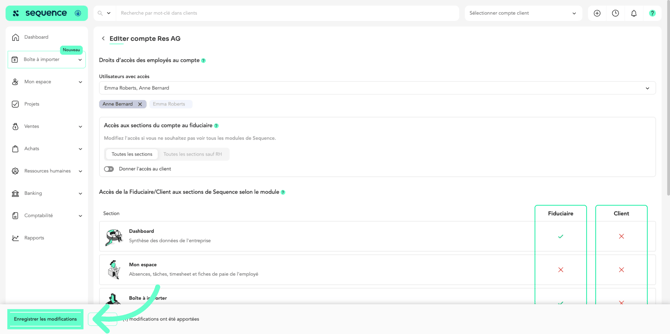
In the account access section, click on “Users with access.”
-
Enable the users you want to grant access to the account.
-
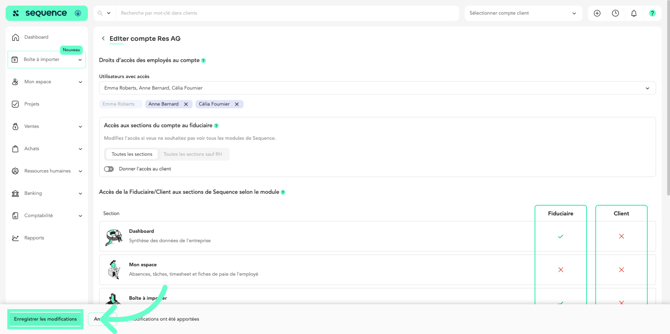
Click on “Save changes” to save your updates.
To modify access from the Users section :
-
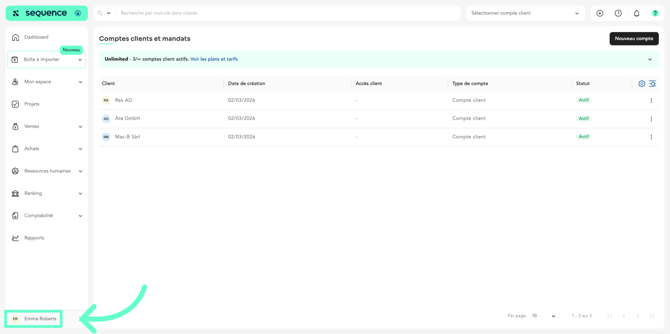
Click on your profile.
-
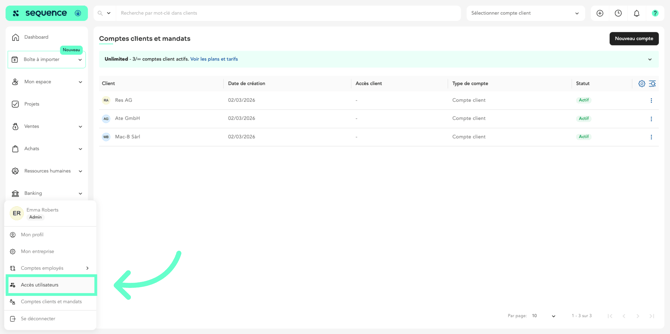
Click on User Access.
-
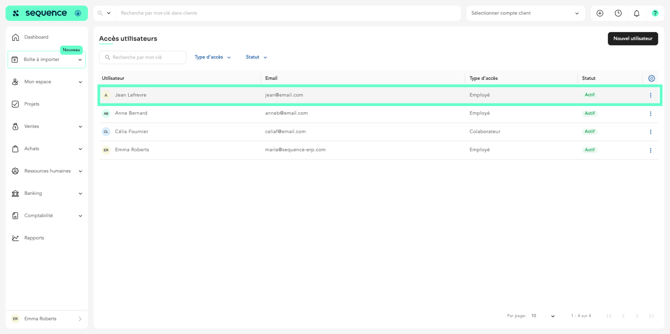
Click on the user to whom you want to grant access to client accounts.
-
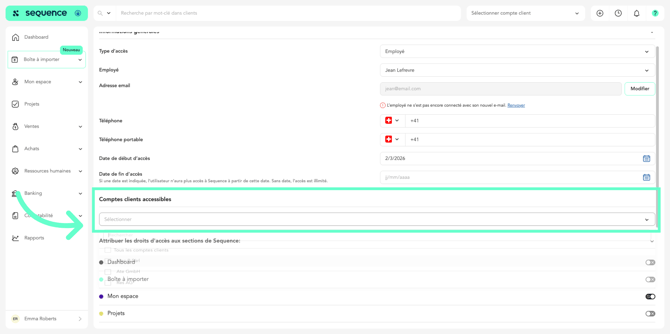
Click on the list of accessible client accounts.
-
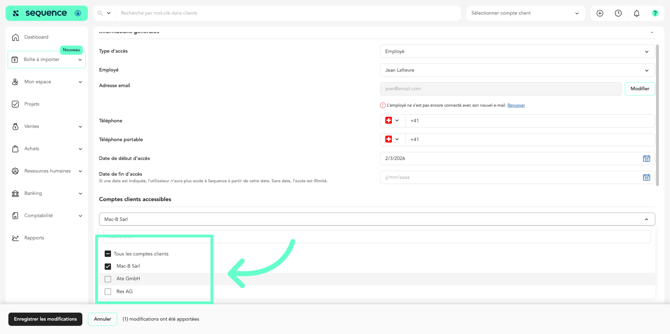
Select the client accounts you want to grant access to.
-
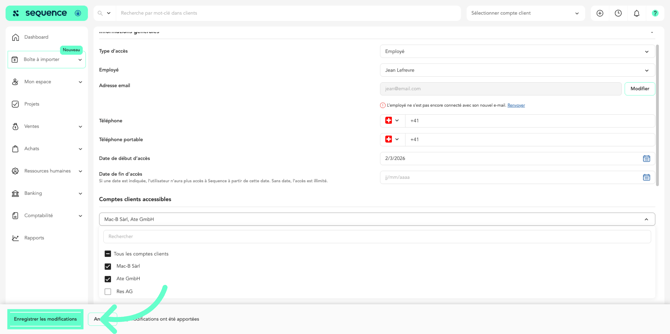
Click on “Save changes” to apply the access updates.
To remove access to an account :
-
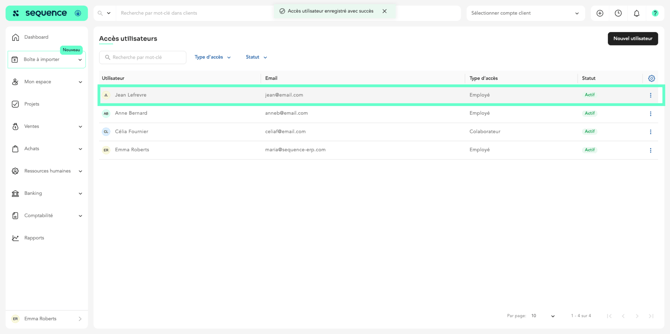
Click on the relevant user.
-
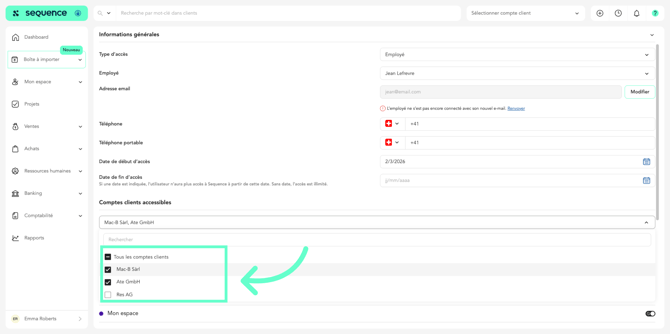
Deselect the client accounts you want to remove access to.
-
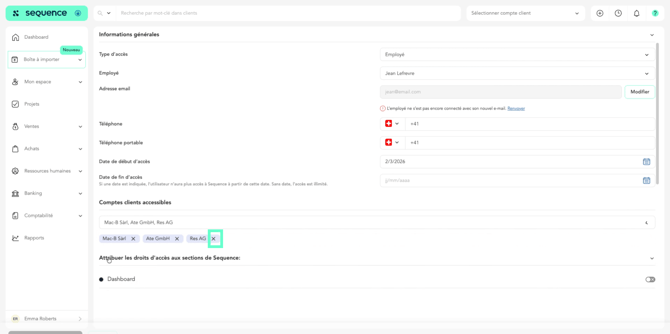
Or click the X next to the account name to remove access.
-
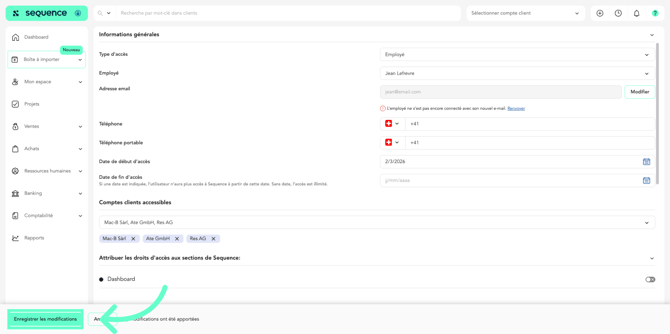
Then click on “Save changes” to confirm the updates.
To remove access from the Client Accounts section :
-
Click on your profile.
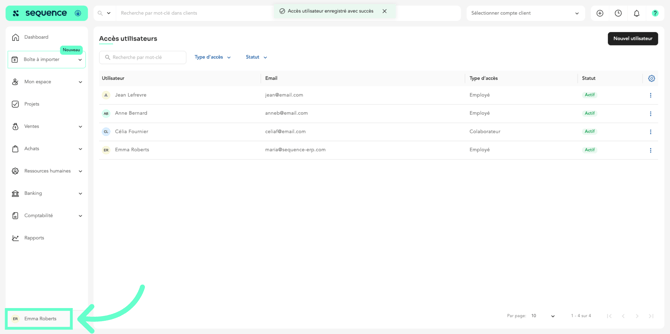
-
Then click on Client Accounts and Mandates.
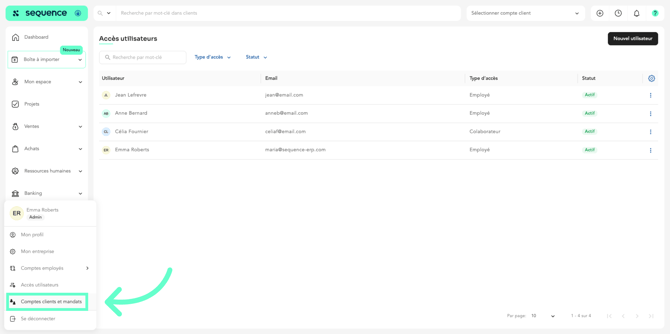
-
Click on the relevant account.
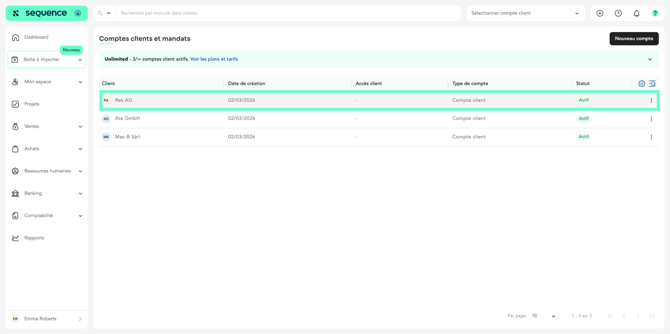
-
Click the X next to the users whose access you want to remove.
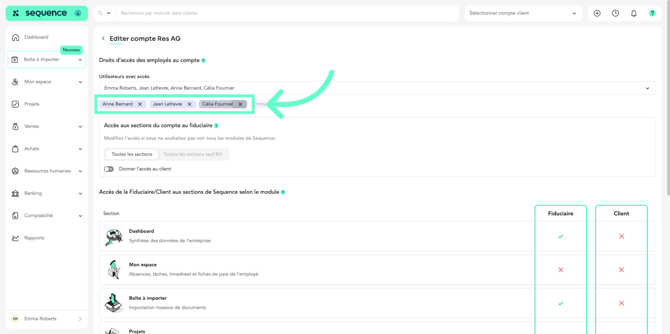
-
Click on “Save changes” to save the changes.
For more information about client accounts, refer to the article “How to Create a Client Account.”